Lone Worker Safety Solution App for Smartphones
No matter what your industry, organization, and workforce size is, SafetyLine Lone Worker is ready to protect your most important asset: your people!
Thousands of users and companies trust SafetyLine to empower a safe workforce





Instant Lone Worker Regulation, Compliance, and A Connected Workforce
The SafetyLine Lone Worker app enables 24/7 safety devices on any smartphone, available to download on the Apple App Store, Google Play, and Microsoft.
For more than two decades, SafetyLine's lone worker solution gives your team the tools they need to stay safe on the job. Workers can check in, signal an emergency, use motion features like man-down and fall detection, discreetly alert for panic emergencies, and even connect with satellite devices if they're out of cell service range. With SafetyLine, you can ensure the safety of your lone workers.

What is a lone worker solution?
A lone worker solution is a portable device in which a person working alone can request immediate help in an emergency. A true solution is accessible 24/7 and can provide an automated emergency monitoring service. It can also include several features such as fall detection, automated check-in timers, GPS location, satellite device integrations, and panic buttons.
Automate Your Lone Worker Safety Solution
SafetyLine is the ultimate solution for keeping your lone workers safe and connected. Our smartphone app, available on Android, iOS, and Windows, is equipped with features like fall detection, no-motion alerts, GPS tracking, and an in-app panic button. And when cell reception is limited, workers can connect to our service through Globalstar SPOT and Garmin inReach satellite devices.
Our interface makes it easy for monitors and administrators to manage worker accounts and track their status fully. Trust SafetyLine to protect your team and ensure compliance with lone worker regulations.
Features and Benefits of SafetyLine Lone Worker
SafetyLine's lone worker solution gives your team the tools they need to stay safe on the job. Workers can check in, signal an emergency, use motion features like man-down and fall detection, discreetly alert for panic emergencies, and even connect with satellite devices if they're out of cell service range. With SafetyLine, you can ensure the safety of your lone workers.

Proactive check-in timers for lone workers
Allow workers to check-in when they start their shift and if they don’t check-in before the pre-determined timer expires. If the worker still does not check-in, an alarm will be raised until their safety can be confirmed.

Easy, seamless communication
Whenever lone workers check-in or signal an emergency, they can include a voice or text message to leave information about their location, what they are doing, and any hazards.

Life-saving motion features
SafetyLine leverages the existing motion features on a smartphone to call for help even when your lone worker is unable to.

Declare an emergency
In addition to our life-saving motion features, SafetyLine also provides an accessible panic button that lone workers can press in the case of an emergency. If the lone worker presses and holds the panic button, your monitor will be instantly notified of the emergency.

Fully Automated, 24/7
24/7 service means lone worker protection all day, every day. SafetyLine is fully automated, your lone workers are protected every hour of every workday. With our dependable automation, human error is reduced, lone worker monitoring is more efficient, and your costs are lower.

Location Tracking
In an emergency, every second counts and can be the crucial difference between life and death. Our GPS maps ensure that in an emergency, your worker is found quickly with the best help possible. This feature is only activated when the lone worker is logged in and checking in.
Integrate SafetyLine With Everyday Tools You Already Use
The SafetyLine platform connects to your existing devices and software such as Sonim, Globalstar Spot, Garmin, Microsoft 365, and Power BI, to better manage, monitor, and report on lone worker activities.
With a comprehensive suite of safety features and a cost-effective price point, it's no wonder SafetyLine has been a top choice for over 25 years. We've been protecting lone workers long before it was an industry, and we're dedicated to continuing to provide security and safety for your team.

Why Do You Need a Lone Worker Solution Like SafetyLine?
SafetyLine Lone Worker is the perfect solution for keeping your lone and remote workers safe. With a comprehensive suite of safety features and a cost-effective price point, it's no wonder SafetyLine has been a top choice for over 20 years. We've been protecting lone workers long before it was an industry, and we're dedicated to continuing to provide security and safety for your team.
Book a demo today
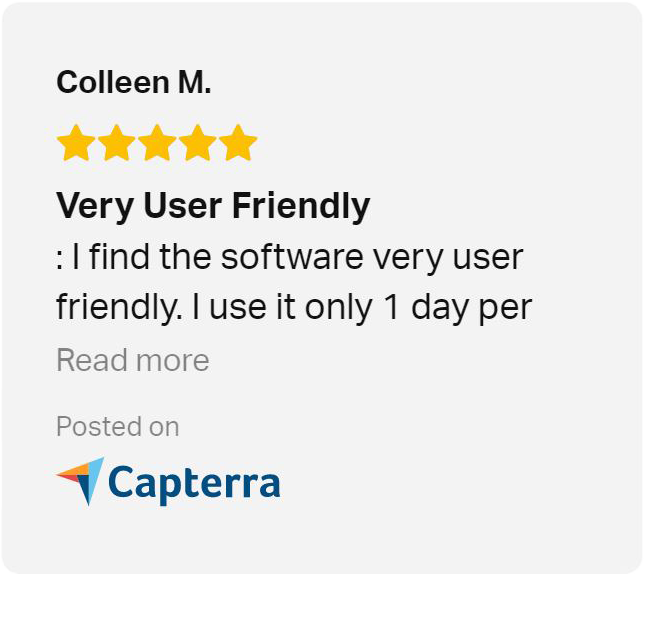
Discover how SafetyLine can revolutionize safety monitoring for your team with a personalized demo. We'll walk you through our intuitive platform and show you why we're rated 4.8/5 stars on Capterra and G2.com, trusted by millions for unbiased software reviews.
Let’s connect to schedule your demo at a time that works best for you!